|
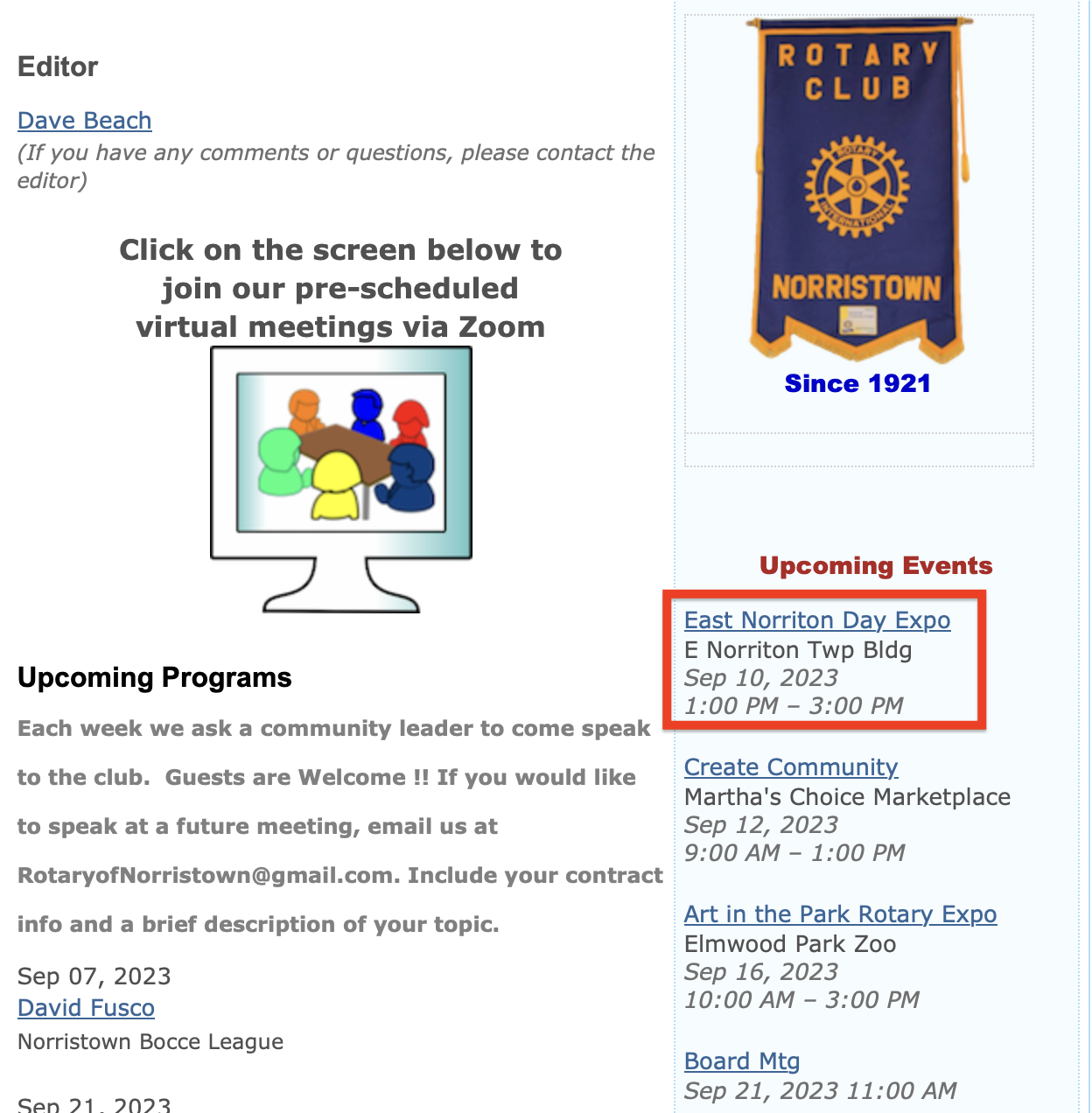
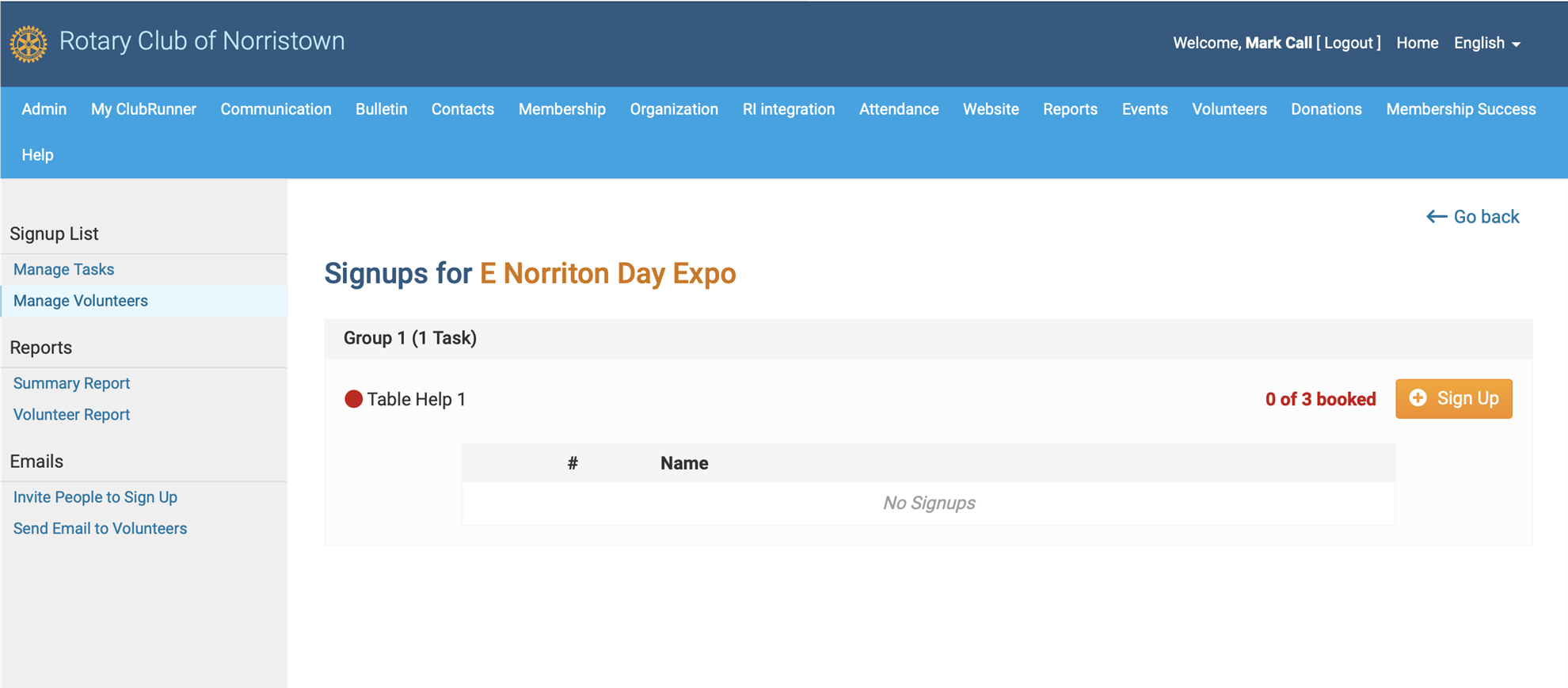
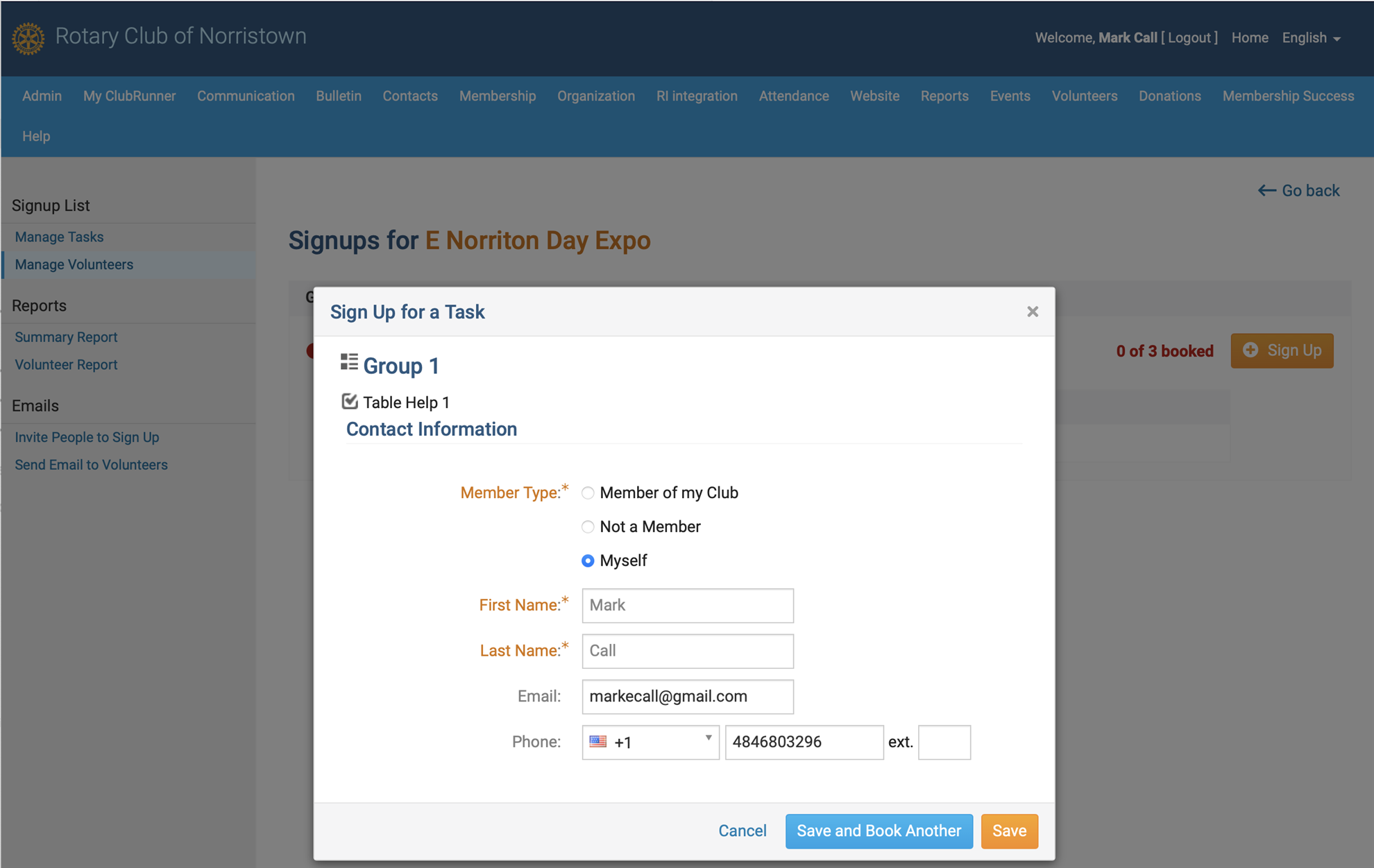
ONLINE MEMBER VOLUNTEERING IS EASY !!! Our club has implemented ClubRunner's 'Online Member Volunteer Signup' feature. With this feature members can volunteer (or unvolunteer) for any event listed in Spoke by yourself with just 4 clicks. It will even fill-in your name. STEP 1 Open SPOKE. Look in the right column for the event in which you are interested. For example, let's say you want to volunteer for East Norriton Day Expo. Find 'E Norriton Day Expo' under 'Upcoming Events' and click on the underlined event name. STEP 2 You will see the Event Screen shown below. And on the left side it says, Online Registration. Click on the blue button containing the Event Name.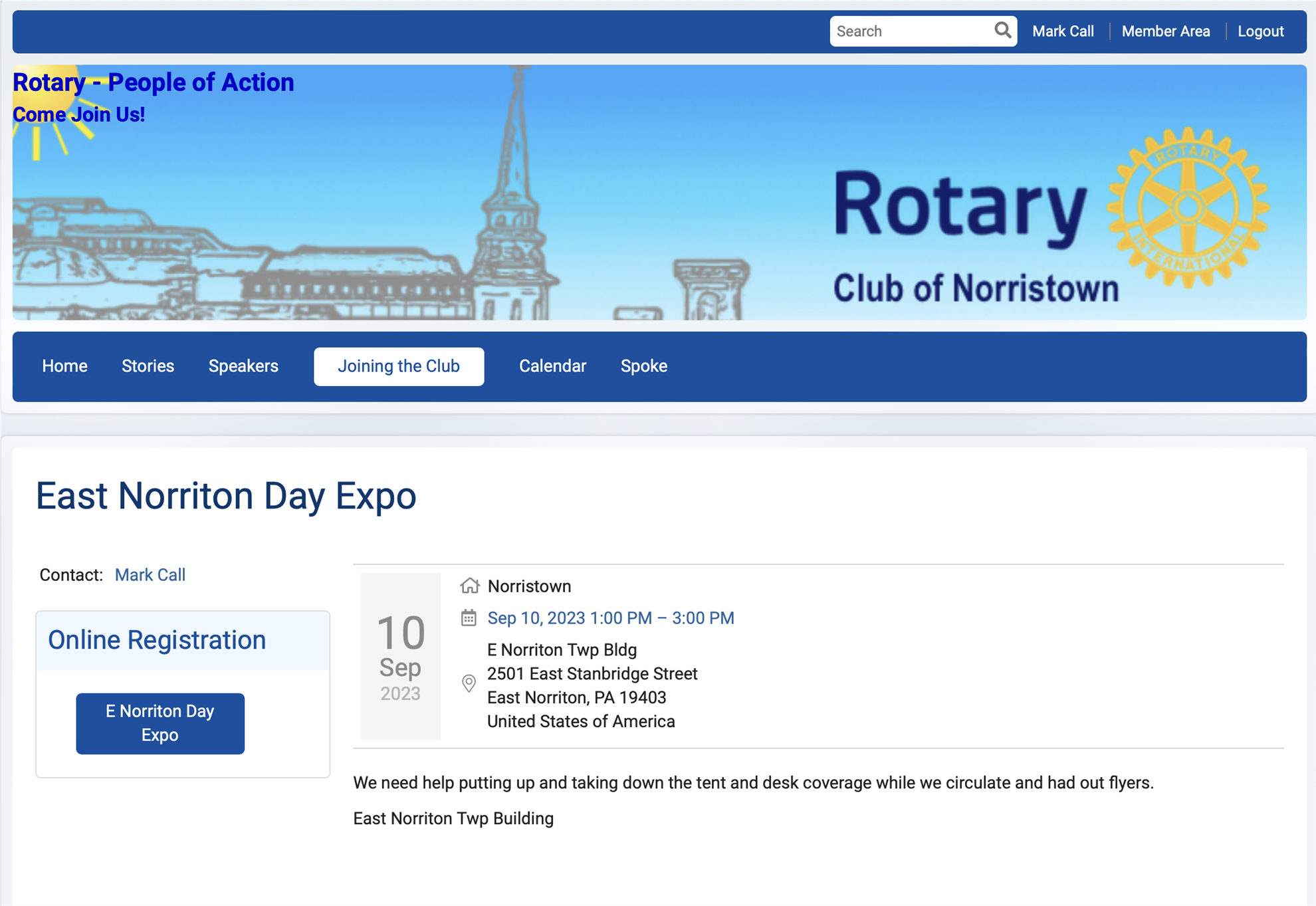 STEP 3 You will see the following screen showing who is booked already and an orange 'SIGN UP' button, press the button. STEP 4 You can check the Member Type 'Myself' dot which will fill in your info and click the orange 'SAVE' button That's it !! You are Signed Up. Thank you for supporting your club.
|









.jpg)


.png)



 SPECIAL REMINDER: The














.png)